

eSpeak NG Text-to-Speech
A text-to-speech engine for Android in over 100 languages. Use it as your phone's voice for TalkBack and other screen readers, or listen to any article with its Reader. Speech works without an internet connection. Over 100,000 installs.
Get it on Google Play Try it in your browser
An independent Android build of eSpeak NG, made and maintained by RedZoc. Not the official eSpeak NG project; RedZoc contributes fixes back to it.
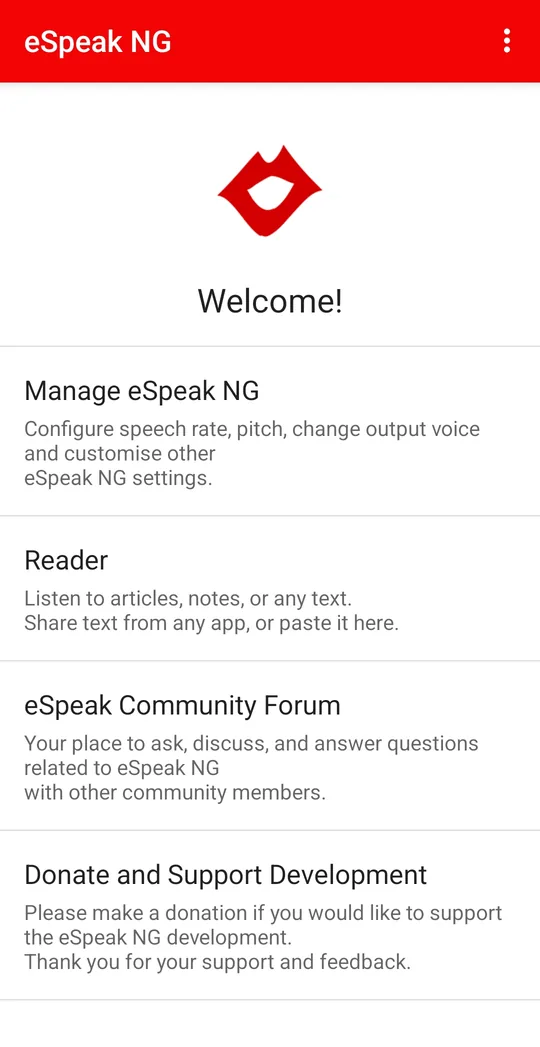
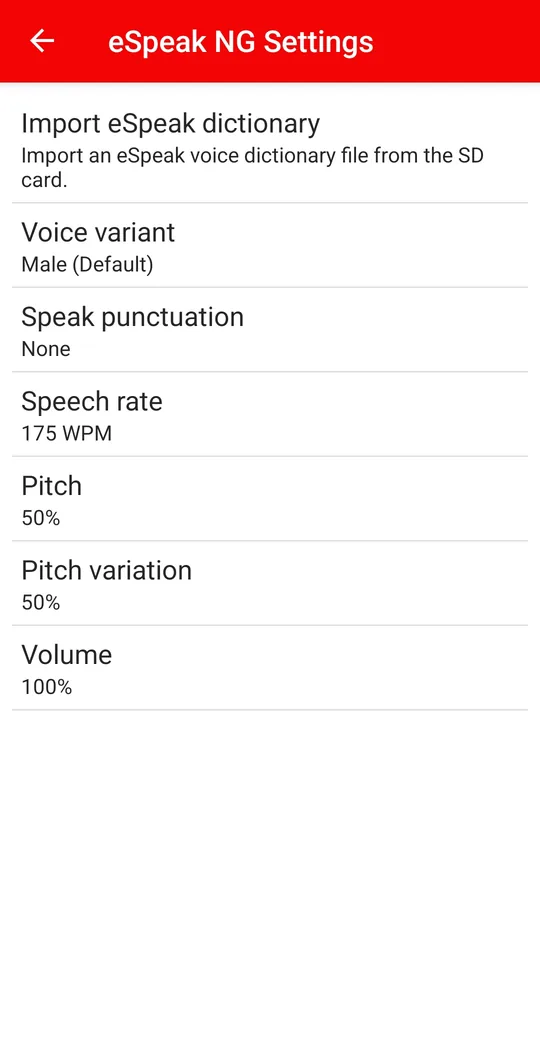
Features
-
Your phone's voice
Set eSpeak NG as your phone's text-to-speech engine, and TalkBack, ebook readers, navigation and any other app that speaks will use it. Adjust speech rate, pitch, volume, voice variant (male, female, whisper and more), punctuation, how capital letters are announced, and the pause between words.
-
Listen to anything with the Reader
Share text from any app to eSpeak NG, or paste it in, and listen. Control playback from the lock screen or notification, save what you hear as an audio file, and change the font size and theme. Turn on the clipboard reader for a one-tap way to hear anything you copy.
-
Say it your way
Teach eSpeak NG how to say names and words with the pronunciation dictionary. Choose how numbers are read, whole or digit by digit, and whether emojis are read every time, once, or not at all.
-
Reads mixed text properly
When a sentence mixes scripts, for example Malayalam with an English word, each part is read in its own language instead of being spelled out letter by letter. Stylised "fancy" social media fonts are read as normal text. RedZoc sends these fixes to the official eSpeak NG project; see the contributions.
-
Small, fast and clear
eSpeak NG makes speech with formant synthesis instead of recordings. That keeps it a small download, quick to respond and easy on the battery, and it stays clear at very high reading speeds. That's why fast screen-reader users choose it.
-
Community forum
Ask questions and help others in the app's community forum, with over 2,000 questions so far. The app itself is available in 46 interface languages.
Languages
Over 100 languages, with 17 from India and South Asia. Quality varies between languages; some voices sound more natural than others.
India and South Asia
- Assamese
- Bengali
- Bishnupriya Manipuri
- Gujarati
- Hindi
- Kannada
- Konkani
- Malayalam
- Marathi
- Nepali
- Odia
- Punjabi
- Sindhi
- Sinhala
- Tamil
- Telugu
- Urdu
English
- British
- American
- New York City
- Caribbean
- Scottish
- Lancaster
- West Midlands
- Received Pronunciation
- Shavian alphabet
Europe
- Albanian
- Aragonese
- Basque
- Belarusian
- Bosnian
- Bulgarian
- Catalan (Central, Balearic, North-western, Valencian)
- Croatian
- Czech
- Danish
- Dutch
- Estonian
- Finnish
- French (France, Belgium, Switzerland)
- German
- Greek
- Greek (Ancient)
- Hungarian
- Icelandic
- Irish
- Italian
- Latgalian
- Latin
- Latvian
- Lithuanian
- Lule Sámi
- Luxembourgish
- Macedonian
- Maltese
- Norwegian Bokmål
- Polish
- Portuguese (Portugal, Brazil)
- Romanian
- Russian (Russia, Latvia, Classic)
- Scottish Gaelic
- Serbian
- Slovak
- Slovenian
- Spanish (Spain, Latin America)
- Swedish
- Ukrainian
- Welsh
Middle East and Central Asia
- Arabic
- Armenian (Eastern, Western)
- Azerbaijani
- Bashkir
- Chuvash
- Georgian
- Hebrew
- Kazakh
- Kurdish
- Kyrgyz
- Nogai
- Persian (Persian script, Pinglish)
- Tatar
- Turkish
- Turkmen
- Uyghur
- Uzbek
East and Southeast Asia
- Burmese
- Cantonese (2 voices)
- Hakka
- Indonesian
- Japanese
- Korean
- Malay
- Mandarin (2 voices)
- Shan
- Thai
- Vietnamese (Northern, Central, Southern)
Africa
- Afrikaans
- Amharic
- Oromo
- Setswana
- Swahili
- Tigrinya
Americas and Pacific
- Cherokee
- Classical Nahuatl
- Greenlandic
- Guarani
- Haitian Creole
- Hawaiian
- K'iche'
- Māori
- Papiamento
- Quechua
- Totontepec Mixe
Constructed languages
- Esperanto
- Ido
- Interlingua
- Klingon
- Lang Belta
- Lingua Franca Nova
- Lojban
- Pyash
- Quenya
- Sindarin
Frequently asked questions
How do I make eSpeak NG my phone's voice?
Open eSpeak NG and tap Set as Default if the app asks. Or go to Android Settings → Accessibility → Text-to-speech output (on some phones: Settings → General management → Text-to-speech), choose eSpeak NG as the preferred engine, then restart TalkBack.
How do I choose or change the language?
In the same Text-to-speech settings, tap Language and pick yours. eSpeak NG also switches automatically when text is in another script: a Malayalam sentence with an English word reads each part in its own language, instead of spelling letters out.
How do I make it speak faster or slower?
Change Speech rate in eSpeak NG Settings. If you use TalkBack, its own speech rate setting also applies on top. eSpeak NG stays clear at very high speeds, which is why fast screen-reader users like it.
Why does it sound robotic?
eSpeak NG makes speech with formant synthesis instead of recorded human voices. That makes it sound less natural, but it's very small, quick to respond, clear at high speeds, and works without an internet connection.
How do I fix how a word or name is pronounced?
Open Pronunciation dictionary in eSpeak NG Settings, add the word, and type how it should be read. Tap Test to hear it. This works everywhere eSpeak NG speaks, including TalkBack.
Can it read numbers digit by digit?
Yes. In eSpeak NG Settings, Number reading offers: Whole number ("one thousand two hundred thirty-four"), Digit by digit ("one two three four"), digits in groups of 2, 3 or 4, or Pairs as numbers ("ninety-eight, ninety-five"). With Apply number reading to, you can limit it to longer numbers, so phone numbers are read digit by digit while years still read normally.
How do I remove the ads?
Tap Remove Ads in the app for a one-time purchase through Google Play. It removes all ads for good. Ads never interrupt the speech TalkBack uses.
Is this the official eSpeak NG app?
No. It's an independent Android build of eSpeak NG, made and maintained by RedZoc. RedZoc contributes fixes back to the eSpeak NG project, such as better Sinhala reading and mixed-language text.